Table of Contents
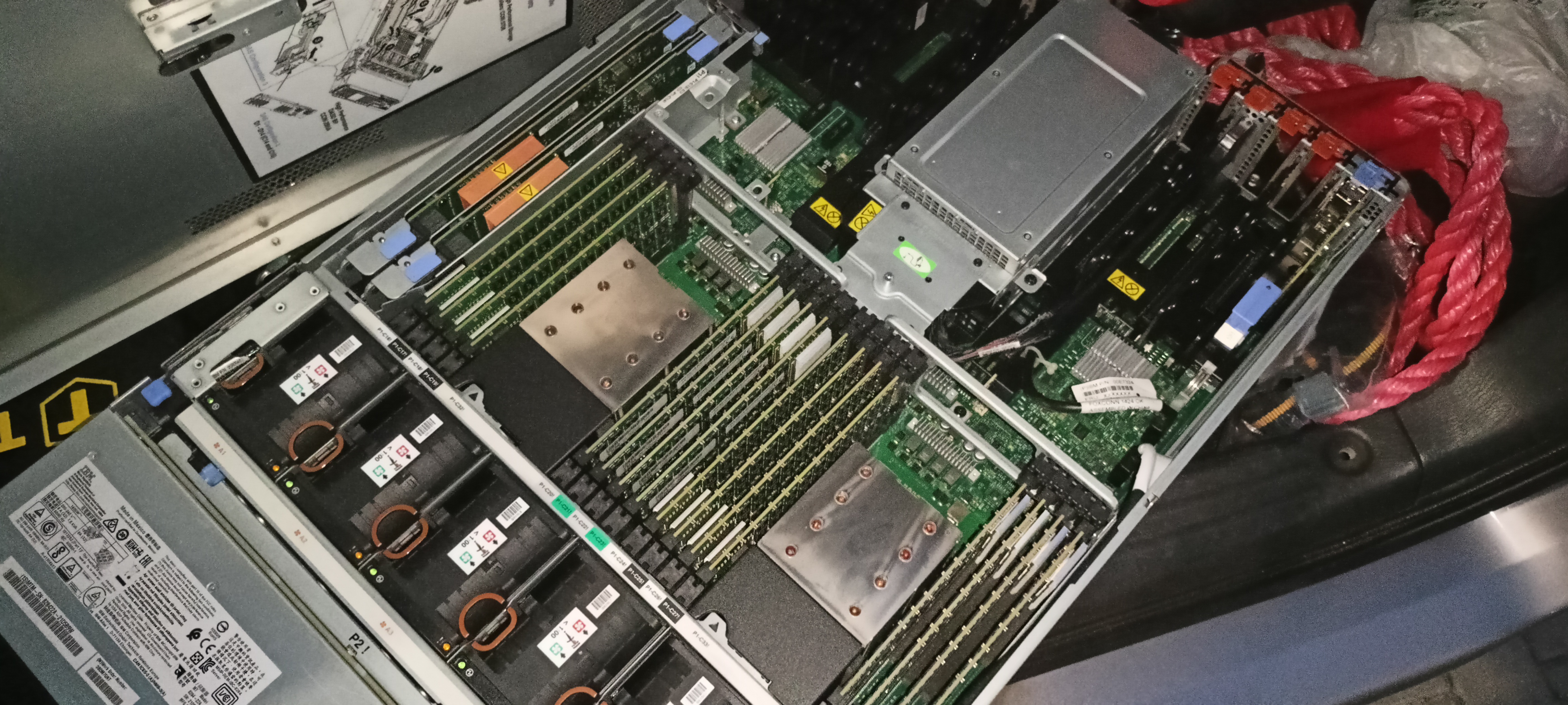
BULL Escala E3-800 IBM Power8 Server
0. Preamble
HUUUUUGE Thank You to Matthew R. Wilson for his YouTube series on IBM Power Setup! Without him, huge portion of information needed to finish this project would be impossible to find!
What and Why
For a long-long time I was interested in IBM Power* architecture, and wanted to own a PowerPC machine of my own. One beautiful night, I found one on local marketplace website: untested, seller not sure what CPUs are inside, but one thing is known. It was Power 8.
I bought it ASAP, and literally counted days until I could pick it up.
Now, that the machine is in my hands, the plan is simple:
- Install Linux or BSD
- Install C compiler and Go-lang toolchain
- Have fun!
Known Specs
- Bull Escala E3-800
- IBM Power 8 architecture
- (unknown CPU/s)
- 512GB of RAM
- No HDDs
- Used by large telecom company (as per information from seller)
To check info after my OS installation, see Specific information about the platform.
My Plans
There are a couple of things I want to achieve with this machine:
- Create large-scale world simulation (Agent-based model in biology)
- Build a C application that uses Power8 specific optimizations (Performance Optimization and Tuning Techniques for IBM Power Systems Processors Including IBM POWER8)
- Build some stupid apps that would use all the 512GB of RAM for fun and giggles
- Learn IBM Power/SAS administration
- Simply save a great piece of engineering from dumpster
1. Hardware Setup
RS232 Connection
- Baudrate: 19200
- Word length: 8
- Parity: No
- Stop bit: 1
After plugging in the power, wait for green light on the front to blink. After that, press any button in connected terminal to pull up the login screen.
Resetting Serial Password
Default login password should be admin/admin. If it doesn't work:
- Power off the machine
- Open it
- Move DIP switches to
ONposition (see photo below) - Power on the machine (wait for blinking green LED on the front)
- Login using
admin/admin, change admin password - Power off the machine (remove power plugs)
- Move DIP switches to original position
- Done
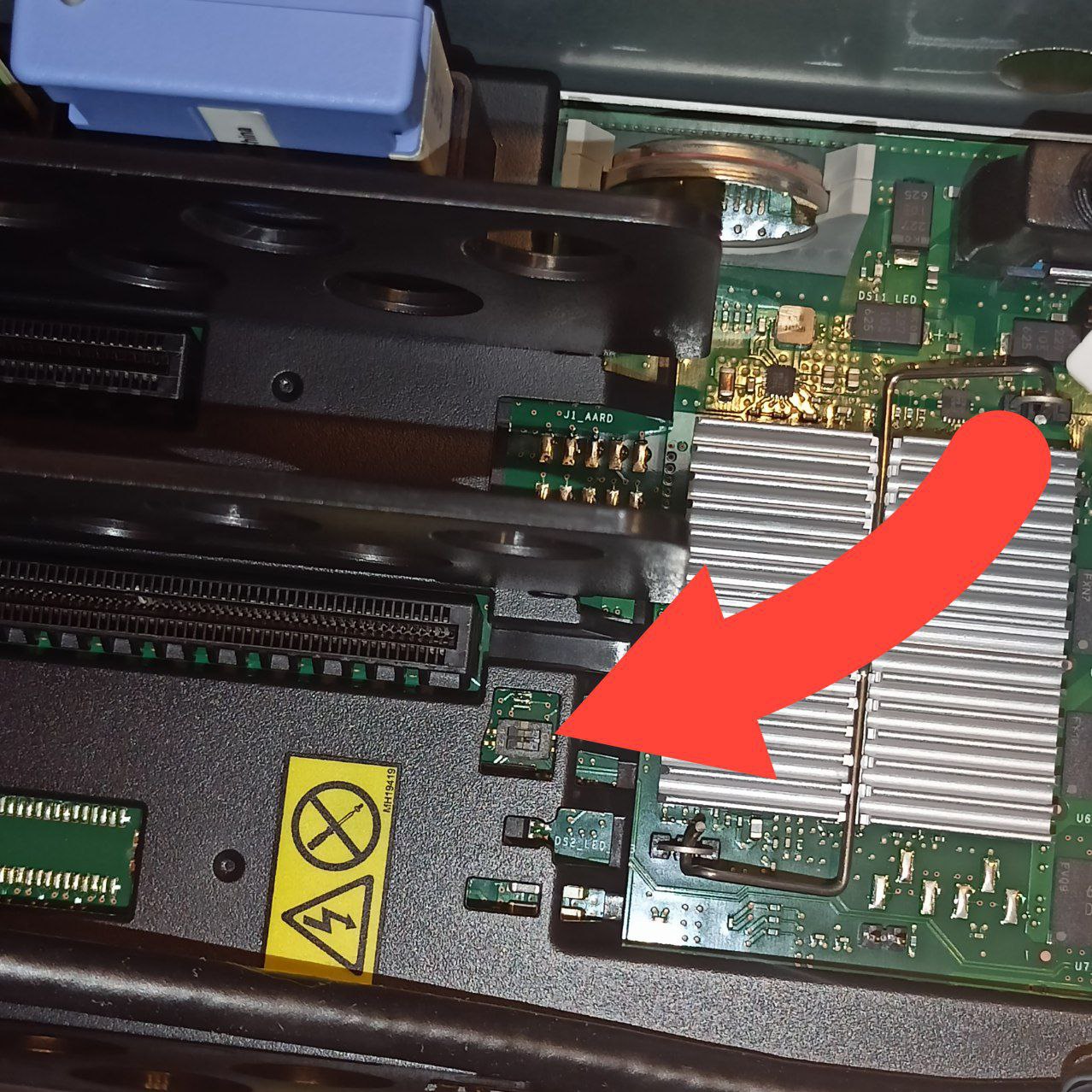
There might be yellow kapton tape on the switch. Remove it before changing it's state
Going back to factory settings
- Login via Serial as
admin - Enter
2. System Service Aids - Enter
11. Factory Configuration - Enter
1. Reset all settings - Enter
1to confirm - Wait for machine to reboot
Setting up network access to Advanced System Management (ASM)
You will need to connect HMC1 or HMC2 port to your local network. These ports work only for Advanced System Management! They do not bridge network interface to operating system!
- Login via Serial as
admin - Enter
5. Network Services - Enter
1. Network Configuration - Enter
1. IPv4 - You'll see options for interface Eth0 and Eth1. Eth0 is HMC1 on the back of the machine, Eth1 is HMC2.
- Configure as you wish
- Save settings and wait for management processor to restart
- Access Advanced System Management via web browser (specified IP should redirect automatically to HTTPS)
Boot into IBM System Management Services (SMS)
- Login via ASM as
admin - Open
Power/Restart Control - Open
Power On/Off System - Change
Partition boot modetoBoot to SMS menu - Click
Save and power on - Wait for SMS menu on Serial terminal
Serial terminal should show IBM Boot codes likeC1C3C204. Wait for them to pass and you should see SMS menu
Boot into IBM Standalone Diagnostics CD and create RAID array
This topic is kinda long and very linear, so I would suggest to follow along with Matthew's Disk Setup video between 00:35:20 and 00:55:44.
2. Installing Linux
I went with Debian 13 for ppc64el: https://cdimage.debian.org/debian-cd/13.0.0/ppc64el/iso-dvd/
After burning DVD with ISO image, I booted it same as IBM Standalone Diagnostics, except I changed Partition type in ASM to Linux, and not AIX.
Debian installer booted as normal via Serial interface, however the installer itself was unable to load files from DVD. Opening rescue session, dmesg didn't show any block device related to optical media. What I did: dd ISO to USB drive and put it in back USB ports. Running installer was able to load files from USB drive and continue installation
Tools
Debian has a great package powerpc-ibm-utils which provides ppc64_cpu command. It allows me to set SMT state, enable/disable it, and many things more which I still need to understand.
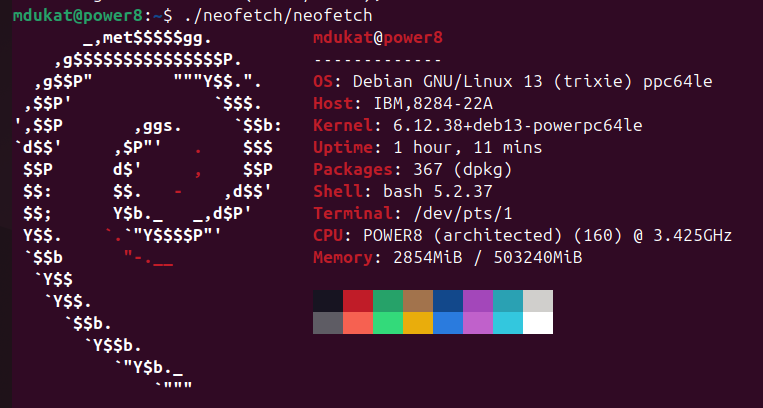
Neofetch
3. Fun!
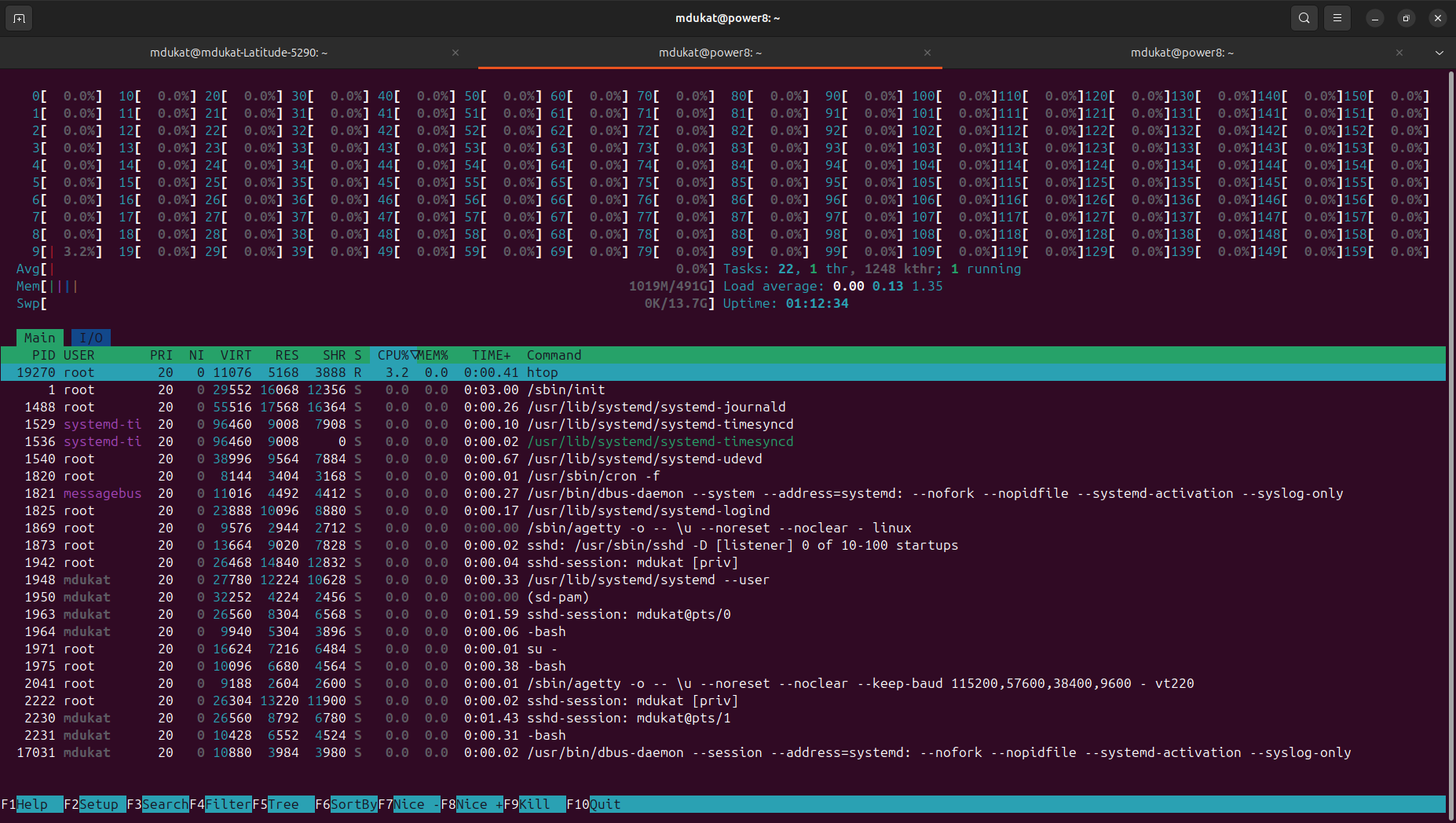
Htop
Go-lang
I would love to thank Go-lang developers for maintaining ppc64le version which worked out of the box: https://go.dev/dl/go1.25.0.linux-ppc64le.tar.gz.
Ollama
My friend said “A lot of RAM and CPU, probably would work great for LLM!”. I tried. Had to compile Ollama Project from source, and apply patch which allowed it to run on ppc64le. Unfortunately, speed was mediocre.
500GB Lookup Table isEven()
https://github.com/mdukat/isEven500GB - Check GitHub for code, benchmarks and more specific info about the machine!
4. What doesn't work
lm-sensors- yep, no idea what temps I'm running
5. Specific information about the platform
mdukat@power8:~$ lscpu
Architecture:                ppc64le
  Byte Order:                Little Endian
CPU(s):                      160
  On-line CPU(s) list:       0-159
Model name:                  POWER8 (architected), altivec supported
  Model:                     2.1 (pvr 004b 0201)
  Thread(s) per core:        8
  Core(s) per socket:        5
  Socket(s):                 4
Virtualization features:
  Hypervisor vendor:         pHyp
  Virtualization type:       para
Caches (sum of all):
  L1d:                       1.3 MiB (20 instances)
  L1i:                       640 KiB (20 instances)
  L2:                        10 MiB (20 instances)
  L3:                        160 MiB (20 instances)
NUMA:
  NUMA node(s):              4
  NUMA node0 CPU(s):         0-39
  NUMA node1 CPU(s):         40-79
  NUMA node2 CPU(s):         80-119
  NUMA node3 CPU(s):         120-159
Vulnerabilities:
  Gather data sampling:      Not affected
  Indirect target selection: Not affected
  Itlb multihit:             Not affected
  L1tf:                      Mitigation; RFI Flush
  Mds:                       Not affected
  Meltdown:                  Mitigation; RFI Flush
  Mmio stale data:           Not affected
  Reg file data sampling:    Not affected
  Retbleed:                  Not affected
  Spec rstack overflow:      Not affected
  Spec store bypass:         Mitigation; Kernel entry/exit barrier (hwsync)
  Spectre v1:                Mitigation; __user pointer sanitization
  Spectre v2:                Vulnerable
  Srbds:                     Not affected
  Tsa:                       Not affected
  Tsx async abort:           Not affected

mdukat@power8:~$ free -h
               total        used        free      shared  buff/cache   available
Mem:           491Gi       1.8Gi       490Gi       8.0Ki        67Mi       489Gi
Swap:           13Gi        20Mi        13Gi

mdukat@power8:~$ uname -a
Linux power8 6.12.41+deb13-powerpc64le #1 SMP Debian 6.12.41-1 (2025-08-12) ppc64le GNU/Linux

mdukat@power8:~$ gcc --version
gcc (Debian 14.2.0-19) 14.2.0
Copyright (C) 2024 Free Software Foundation, Inc.
This is free software; see the source for copying conditions.  There is NO
warranty; not even for MERCHANTABILITY or FITNESS FOR A PARTICULAR PURPOSE.

mdukat@power8:~$ go version
go version go1.25.0 linux/ppc64le